

Ragdoll Blade for PC
Cut down all the enemies!Updated March 6, 2026
Ragdoll Blade PC Details
| Category | Action |
| Author | tatsumaki games |
| Version | 2.2.4 |
| Size | 68.6 MB |
| What's New | change enemy color. |
Ragdoll Blade for PC Screenshots
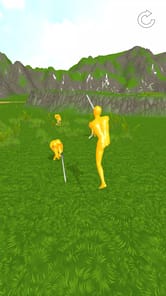
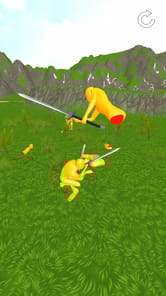
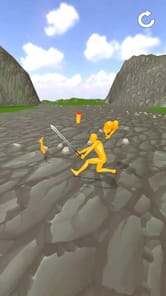
Discover the Fun of Ragdoll Blade
Get ready for an exciting adventure! Ragdoll Blade is a game that is all about fun and action. It is simple to play but offers a lot of enjoyment. If you love games that are easy to start and full of satisfying moments, this could be the perfect choice for you. The main goal is to slice your way through challenges in a very fun way.
The action feels great. You get to run around and slice through all the ragdoll people in your path. It is a simple idea that makes for a really good time. The game has a special feel that some might even call realistic in its own way. It is designed to be a relaxing and enjoyable experience for everyone.
What Makes Ragdoll Blade a Great Time?
The Joy of Slicing
The best part of Ragdoll Blade is the slicing. You move your character and slice through waves of ragdoll figures. There is even an "auto slice" feature you can use. This makes the action smooth and lets you focus on the fun. You can also run away when you need to, adding a little bit of strategy to the game.
Simple to Learn and Play
You do not need to be an expert to enjoy Ragdoll Blade. The controls are simple, and the goal is clear. This makes it a great game to pick up and play whenever you have a free moment. The focus is on pure, uncomplicated fun rather than difficult rules.
Master the Challenges Ahead
Become a Boss Master
Ragdoll Blade is not just about slicing through crowds. There are also bosses to defeat. These boss fights test your skills and make you feel like a true master of the blade. Beating a tough boss is one of the most rewarding parts of the adventure.
Exploring the Levels
The game currently has a handful of levels to play through. These levels are very fun and provide a great challenge. After you play for a while, you might notice that the levels start to repeat. This gives you a chance to get better at them and perfect your slicing technique.
The Exciting Future of Ragdoll Blade
The fun is just getting started! There is a lot of excitement building for what is next for Ragdoll Blade. Many people are looking forward to future updates that could make the game even bigger and better. The addition of new, harder levels is something many hope to see soon. There is also talk about a multiplayer mode, which would let you share the fun with friends. The future looks very bright for Ragdoll Blade.
Frequently Asked Questions
What is the main goal in Ragdoll Blade?
The main goal is to have fun slicing through ragdoll characters. You will run through levels, use your blade, and even face off against powerful bosses to become a master.
Is Ragdoll Blade hard to play?
No, Ragdoll Blade is designed to be very easy to learn. It includes helpful features like "auto slice" to make the gameplay smooth and enjoyable for everyone from the start.
Are there a lot of different levels?
Ragdoll Blade has a core set of about six levels that provide a lot of fun. While these levels may repeat, many are hopeful that more new and challenging levels will be added in the future.
Will there be a multiplayer mode?
A multiplayer mode is a highly anticipated feature. While not available right now, there is a lot of excitement for it to be added in a future update to the game.
How to Install Ragdoll Blade on PC
Below instructions allows you to download and install Ragdoll Blade app on Windows or MAC computer using an Android emulator. The process involves:
Download APK:Downloading the Ragdoll Blade APK file by choosing a version.
Install Android Emulator:There are a number of Android emulators the internet. Choose a emulator that works better with your PC. Now, download and install the Android emulator software.
Run the Emulator:Open the emulator you have just installed and configure the settings such as display, keywords, mouse etc.
Install Gene:Open the downloaded Ragdoll Blade APK file using the emulator, which will install Ragdoll Blade on Windows or MAC.